
Anyone who registers with the Evangelical College login code can use the Evangelical College license on the Study Bible. This allows you to use the comprehensive Study Bible Package Solomon for free.
However, this requires that you enter the Evangelical College registration code in the registration code field. It is also necessary to agree to the terms and conditions of the Center for Bible Research (see the last registration step).
Otherwise, there is no cost or obligation. If your Evangelical College account expires, you can continue to use Study Bible including your notes, bookmarks, markups and publications from the free Study Bible Package Grace.
To create your account, it is necessary to complete the steps below once. The following times you can log in directly with your account information.
- Go to online.studybible.com and click on Register

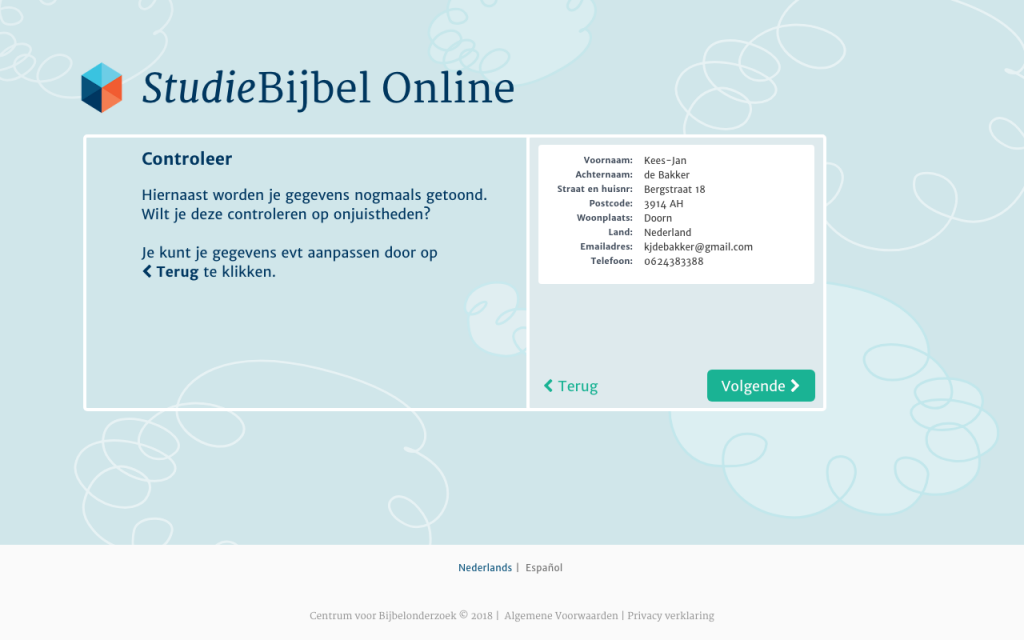
- Enter your information and click Next
- Check your information and click Next
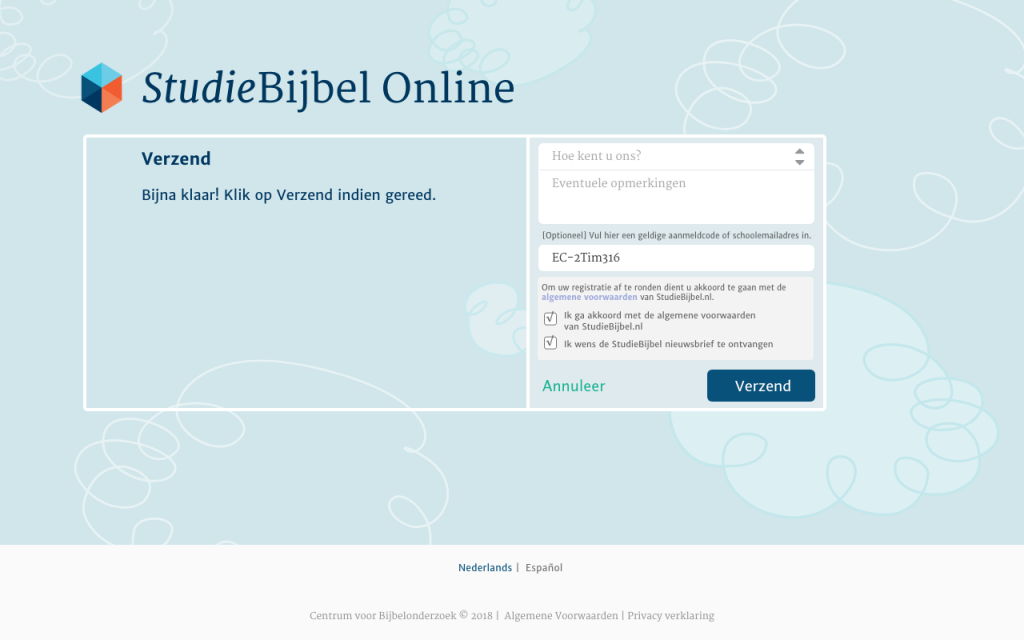
- Enter the login code EC-2Tim316 in the Login code field
- Click on: I agree to the terms and conditions
- Then click on Send


You will receive your account information by email soon thereafter.
Good luck using Study Bible!